
Bing Places for Franchise Locations: Import, Verify and Sync Every Unit
Bing Places for franchise locations: import, verify and sync every unit you own.
Key Takeaways
- Microsoft relaunched Bing Places for Business on October 3, 2025. It now lives at bing.com/forbusiness, and existing listings were moved over automatically.
- Bing Places for franchise locations is mostly an import job: bring each unit in from its verified Google Business Profile and the listing verifies with it.
- Multi-unit operators should use bulk upload with store codes, keep the business name identical across units, and link each location to the brand.
- After a GBP import, edits on Google flow through to Bing, so your GBP has to be right first.
- Bing listings appear in Bing search and Bing Maps, and Microsoft says deeper Copilot integration is on its roadmap.
- Check your franchise agreement and brand standards before you claim or edit any listing; some brands control listings centrally.
Most franchisees I talk to have every unit’s Google Business Profile dialed in and have never logged in to Bing Places. Some of their units have Bing listings anyway, built from old data, with last year’s hours or a former manager’s phone number. Nobody owns them, so nobody fixes them.
That gap got easier to close in October 2025, when Microsoft rebuilt Bing Places for Business. This is my playbook for Bing Places for franchise locations, so every unit you own shows up on Bing correctly: claiming or importing, verifying, keeping it in sync with Google, and avoiding the mistakes that create duplicate or wrong listings. Your franchise agreement and brand team still win any conflict with this advice.
What Changed in the New Bing Places for Business
Microsoft launched the new Bing Places for Business on October 3, 2025. The main changes for multi-unit operators:
- New address. The tool moved from bingplaces.com to bing.com/forbusiness. Existing listings were migrated automatically, and old logins redirect to the new experience.
- Better Google import. Microsoft says importing from Google Business Profile is now faster and keeps the business name, hours and contact details more reliably. A verified GBP import verifies the Bing listing too.
- Bulk editing and status. Bulk editing tools and real-time status updates after an import.
- Recommendations. A recommendation tool suggests photos and missing details such as website, hours and social links.
- Agency accounts. A dedicated setup for agencies managing listings for clients.
Microsoft also says it plans deeper integration with Bing Maps and Copilot. That is a roadmap item, not a feature you can rely on today, but it is another reason to get the data right now.
Bing Places for Franchise Locations: Claim or Import?
For franchise units, the choice is simple:
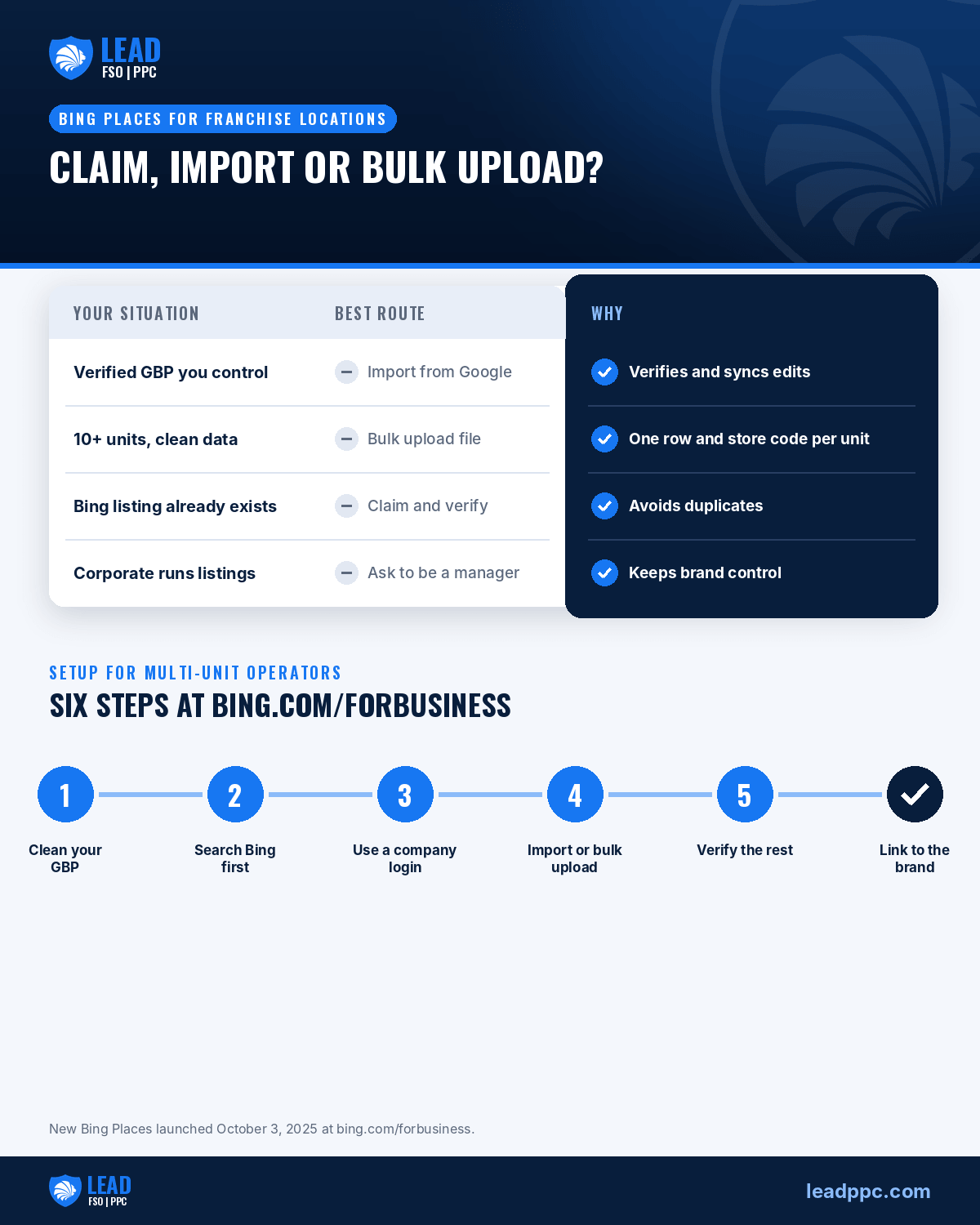
| Situation | Best route |
|---|---|
| The unit has a verified GBP you control | Import from Google. It verifies on import and syncs future GBP edits. |
| You own 10+ units with clean data | Bulk upload file with one row per unit and a store code for each. |
| A Bing listing already exists for the unit | Claim it and verify by phone, email or postcard PIN. Don’t create a second one. |
| Corporate manages listings for the brand | Ask to be added as a manager instead of claiming the unit yourself. |
The import route is usually right because most franchisees already did the hard work on Google. If your Google profiles still need work, start with our guide to multi-location franchisee Google Business Profiles.
Step-by-Step Setup for a Multi-Unit Operator
- Clean the source. Confirm each unit’s name, address, phone, hours, categories and website in GBP. Bing will copy what Google has, including mistakes.
- Search Bing first. Look up every unit on Bing and Bing Maps and note any existing listing, so you claim it instead of creating a duplicate.
- Sign in at bing.com/forbusiness. Use a company-controlled Microsoft account, not a manager’s personal login.
- Import or upload. Import from Google for verified units, or use the bulk upload file for larger groups. Give every unit a store code that matches your internal ID.
- Verify what didn’t verify. Units without a verified GBP need a PIN by phone, email or mail. Bulk verification is available for multiple listings.
- Link the brand. Use the business relationship setting to connect each unit to the brand’s parent listing, and keep the business name exactly the same across units.
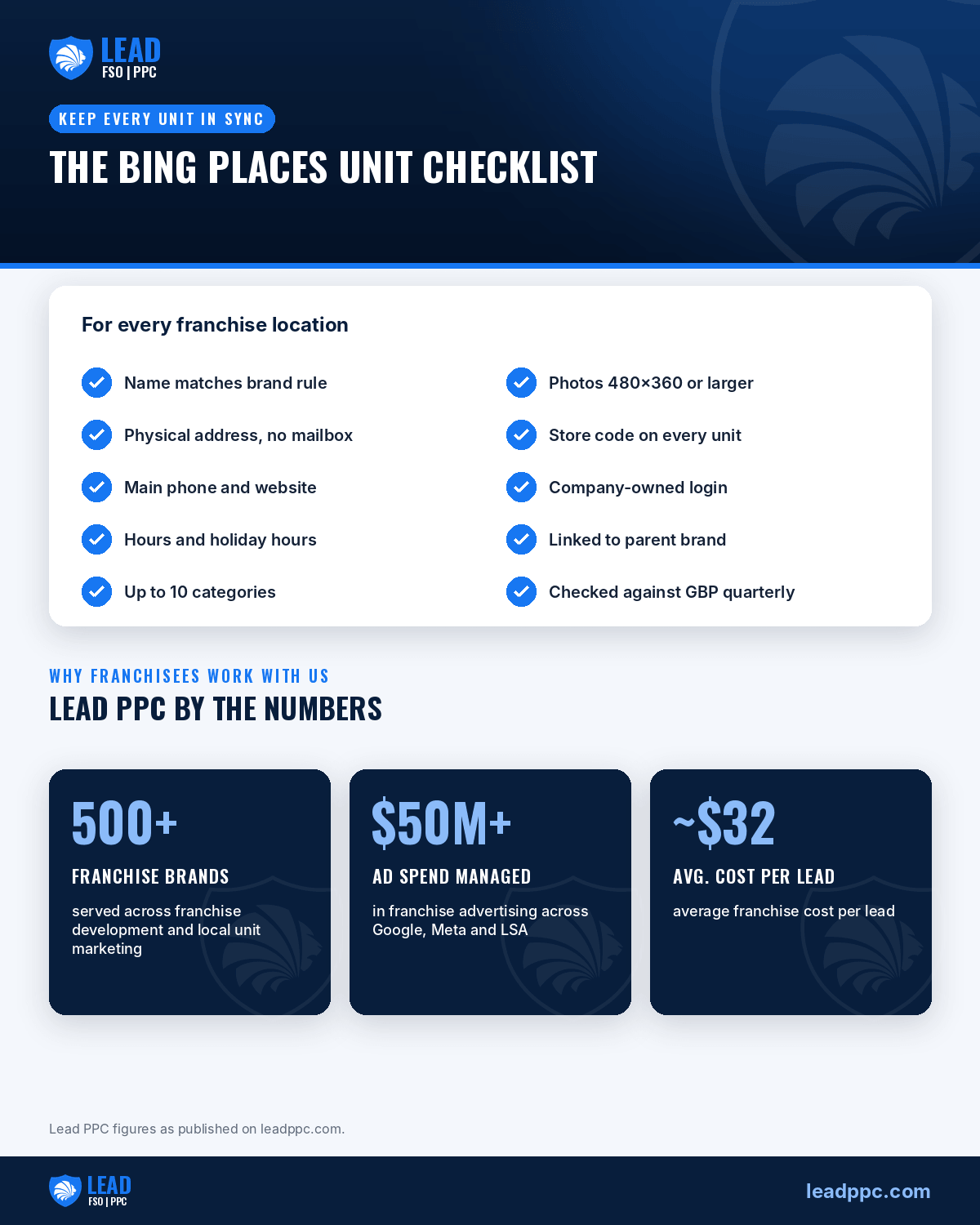
- Finish each profile. Add photos (Bing allows up to 100 and shows about 20 at a time; minimum 480 x 360 pixels, up to 10MB), up to 10 categories, and unit-level details the recommendation tool flags.
Keeping Bing, Google and Your Other Listings in Sync
After a Google import, edits you make in GBP update the Bing listing. That is useful and it is also a risk: a bad edit on Google spreads to Bing. Treat GBP as the source of truth and lock down who can edit it.
- One master sheet. Keep a sheet of every unit’s NAP (name, address, phone), hours and categories, with store codes. Check Bing, Google, Apple and Yelp against it each quarter.
- Holiday hours. Set special hours on Google ahead of holidays and confirm they flowed through to Bing.
- Service-area units. Bing lets service-area businesses hide the address; Google requires it to be hidden for pure service-area businesses. Match the brand’s approach on both.
- AI profiles too. Bing is one of several places customers now find local businesses. The same discipline applies to ChatGPT business profiles for franchise locations.
Common Mistakes and Brand Rules
- Creating duplicates. Adding a new listing when one already exists splits reviews and confuses Bing. Claim the existing one.
- Personal logins. When a manager leaves, so does access. Use company-owned accounts and add a second owner.
- Inconsistent names. “Brand Name – Downtown” on one unit and “Brand Name Downtown Store” on another breaks the brand match. Follow the brand’s naming rule.
- Virtual addresses. Bing requires a physical address for a storefront listing. A mailbox or virtual office is not allowed.
- Ignoring the franchise agreement. Many brands control directory listings centrally or require approval for photos and descriptions. Check before you claim, and coordinate with corporate on any changes to the brand’s parent listing.
If you also run Microsoft Ads or Google Local Services Ads across units, clean listings make those campaigns work better. See our notes on running Google LSA across several locations.
Frequently Asked Questions
What is the new Bing Places for Business address?
Since October 3, 2025, Bing Places for Business is at bing.com/forbusiness. Listings from the old bingplaces.com were migrated automatically, and existing logins redirect to the new experience.
Can I import franchise locations from Google Business Profile into Bing Places?
Yes. Bing Places can import from Google Business Profile, and a verified Google profile verifies the Bing listing on import. After import, edits you make in Google Business Profile update the Bing listing.
How do I add many franchise locations to Bing Places at once?
Use the bulk upload file with one row per location and a unique store code for each unit, keep the business name identical across locations, and use bulk verification for any units that did not verify on import.
Should a franchisee or the franchisor own the Bing listing?
It depends on your franchise agreement. Some brands manage every directory listing centrally; others leave units to the franchisee. Check the agreement and brand standards before claiming, and use company-owned logins either way.
Where do Bing Places listings show up?
In Bing search results and on Bing Maps. Microsoft has said it plans deeper integration with Copilot, so accurate listings are likely to matter more over time.
Need Help?
If your units are spread across Google, Bing, Yelp and ChatGPT with no one keeping them in sync, fill out our Contact Us form and we’ll help you set up and manage every listing.

Entrepreneur with a focus on Lead Generation, Google Adwords, Bing Ads, and Conversion.
Leave A Comment